A shared workspace for you and your AI

One folder of plain markdown. You write in it, your agents write in it, and everything stays yours: todos, scheduled jobs, your work time, and a private zone no AI can open.

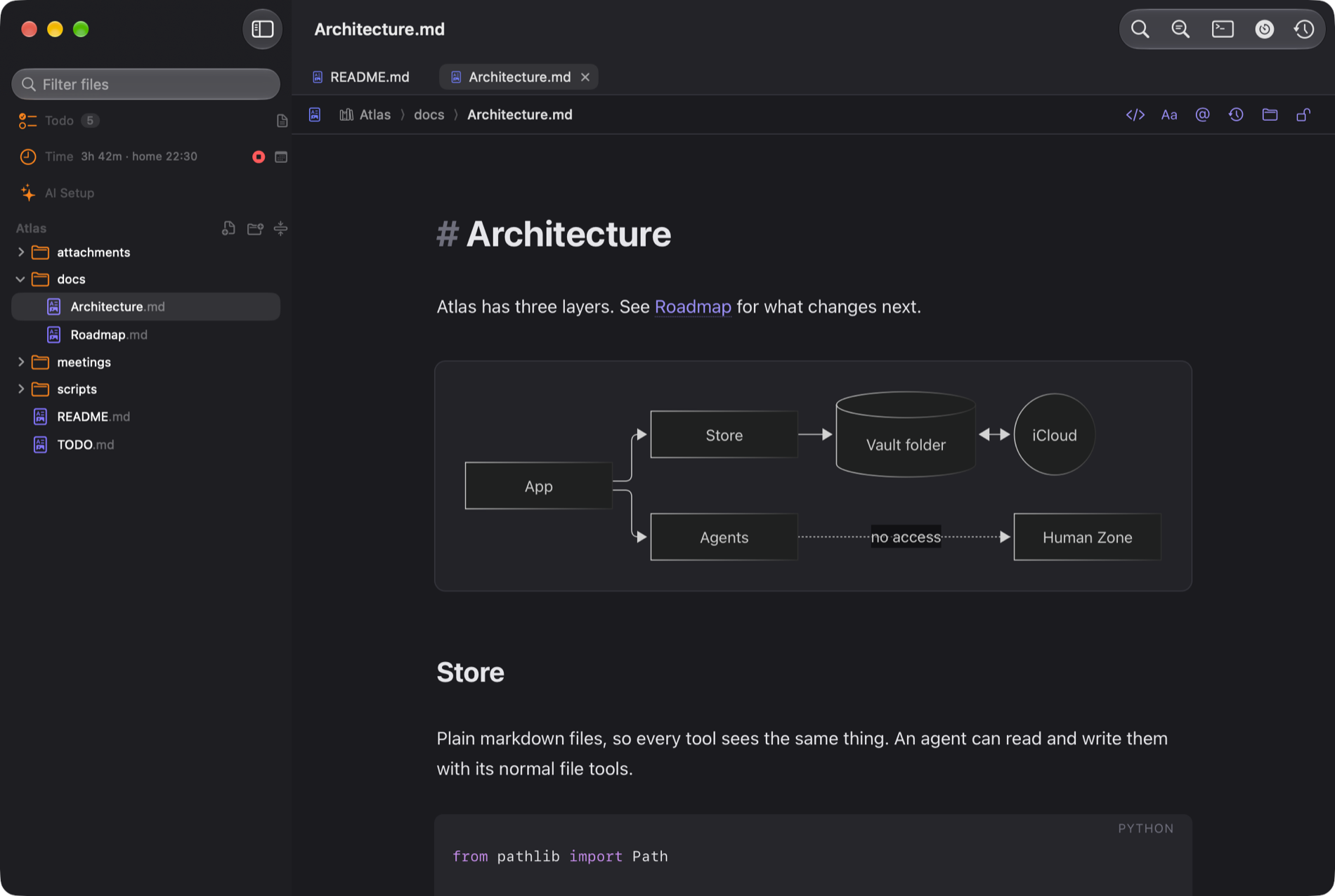
Notebench on the Mac: a markdown note with a diagram, the file tree and a todo list

30 seconds: notes, a diagram, a todo that appears as you add it, and a message from a scheduled job.

Todo

Tasks that live in a text file

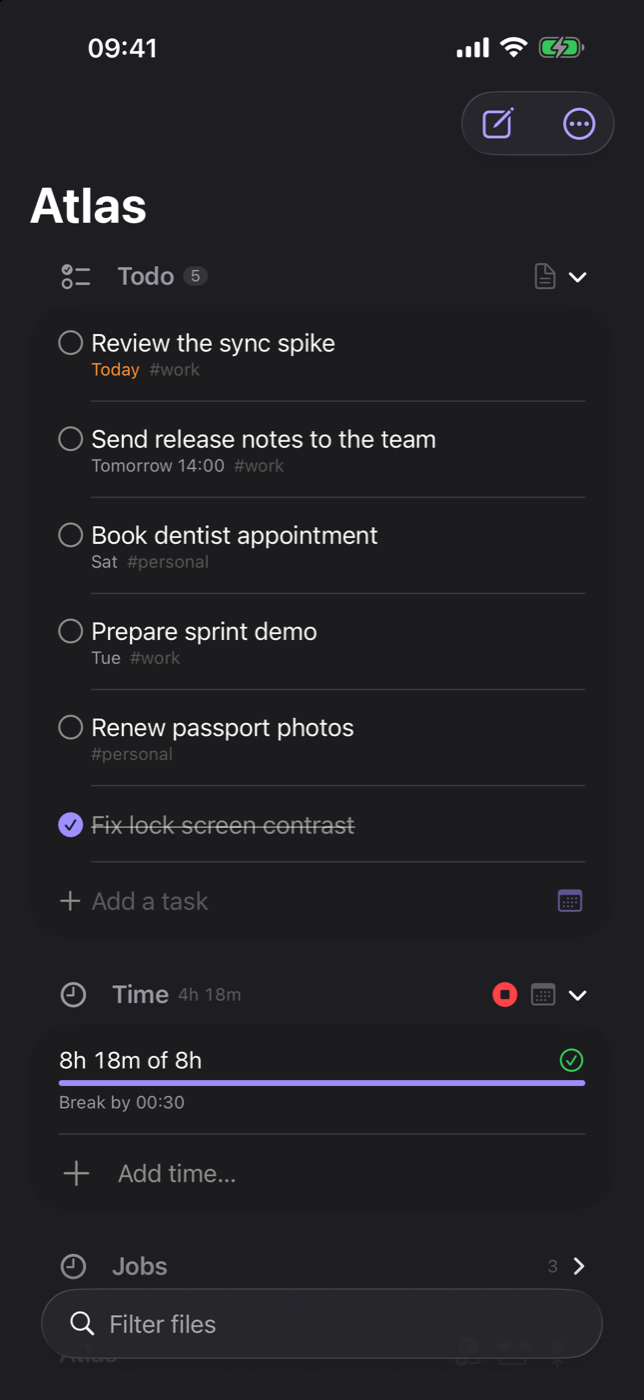
Your todo list is a normal TODO.md. Type "Call Anna tomorrow 14:00" and it understands. Check things off in the sidebar, in a widget, or let an agent do it.

  • Reminders with Done and Snooze
  • Home screen, lock screen and desktop widgets
  • Works the same on Mac and iPhone
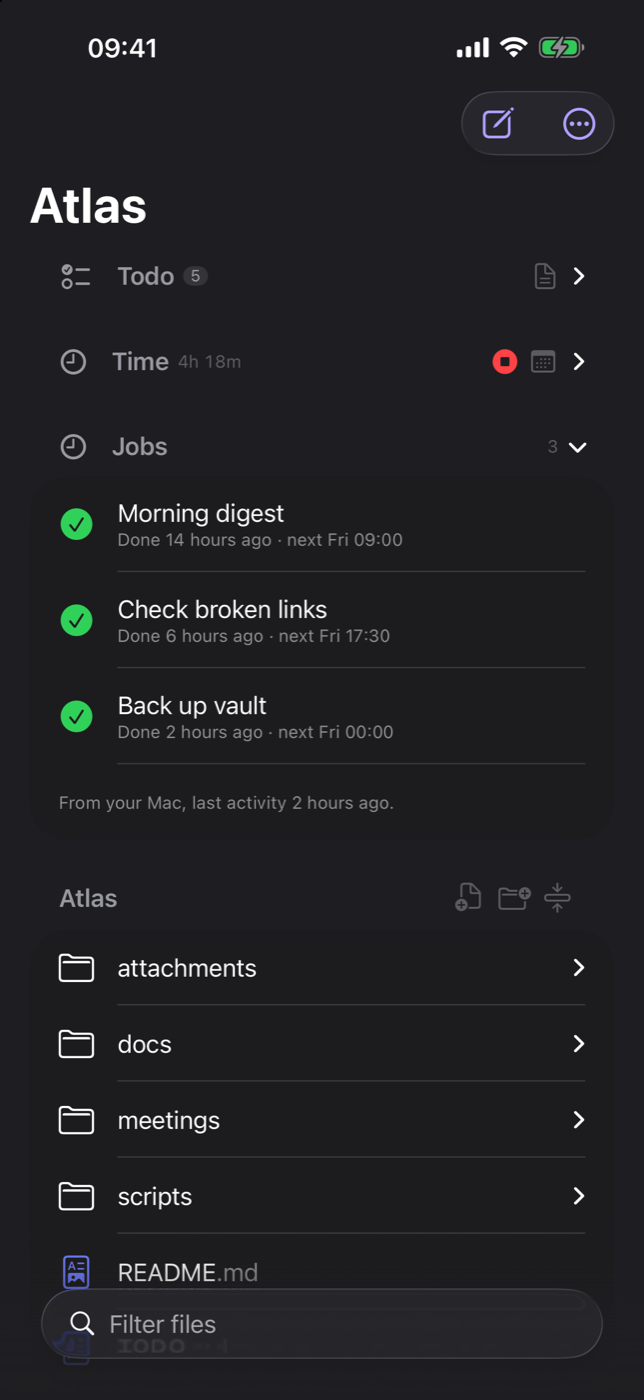
Notebench on iPhone showing the todo list, the time tracker and scheduled jobs
Scheduled jobs

Let your Mac work while you do not

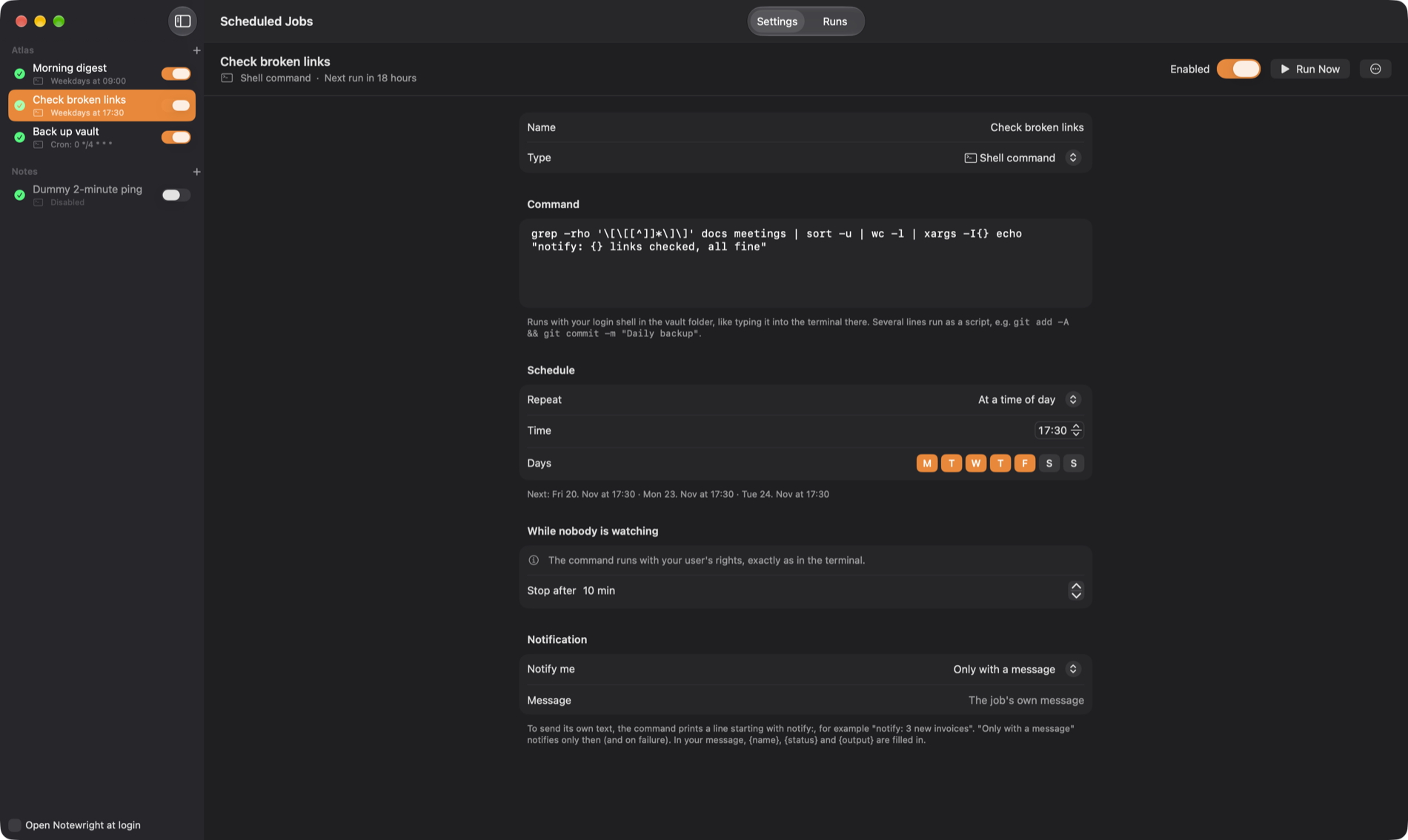
Run a shell command or an AI agent on a schedule: a morning digest, a link check, a nightly backup. You approve every job once, and each run is kept with its output.

  • Plain cron schedules, with the next runs shown
  • Notifications only when there is something to say
  • On your iPhone you see what the Mac did, and when it last ran
The jobs window with three jobs and their schedule
AI agents

An agent terminal, built in

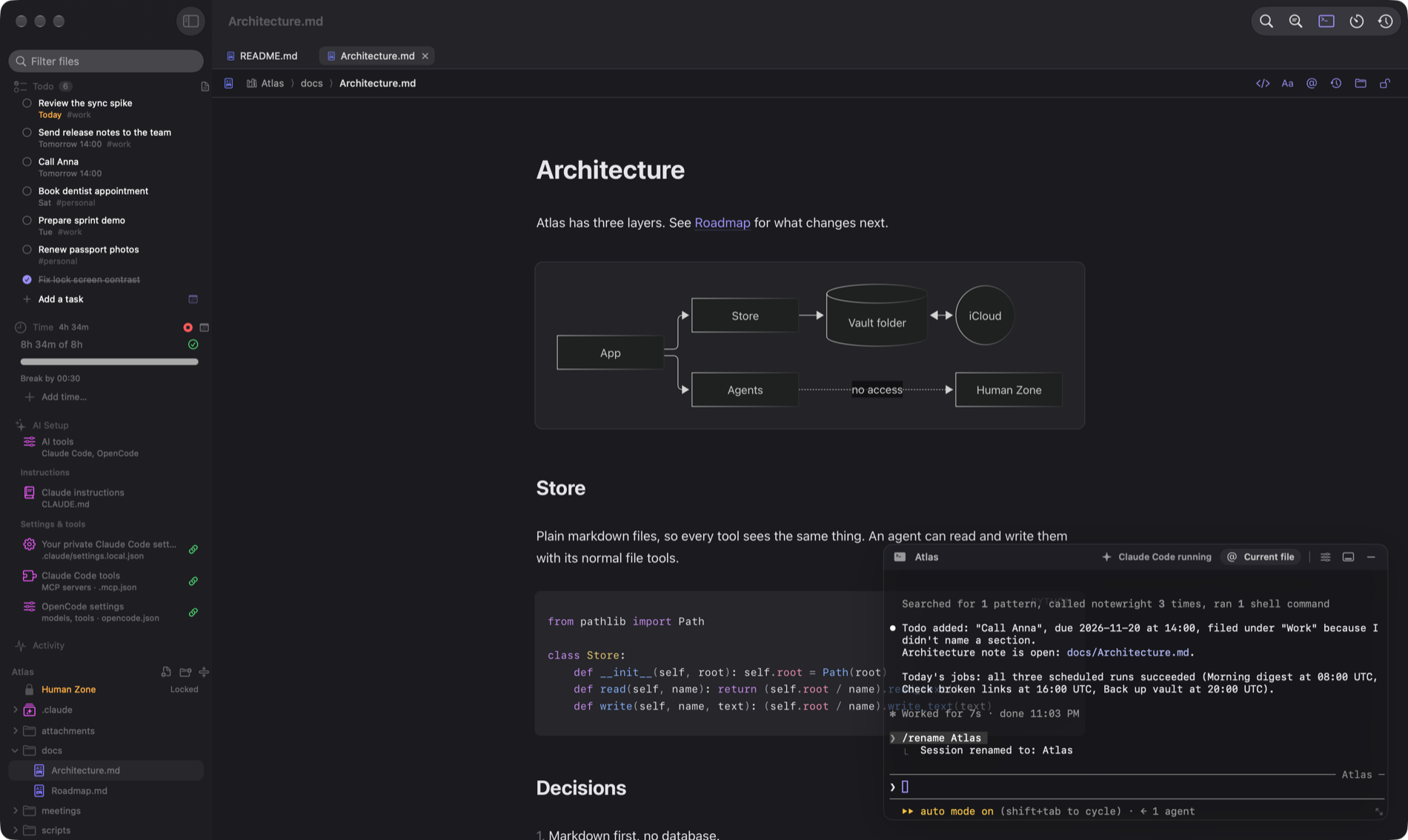
Start your AI agent in the built-in terminal and it works in the same folder as you. It can open notes, add todos, run jobs and check your time through Notebench's own tools, and you see every change as it happens.

  • One click connects an agent to your vault
  • Agents propose changes, you decide, and every edit is kept in the history
  • The Human Zone stays out of reach, always
Claude Code running in Notebench's terminal: it added a todo that appears in the sidebar and opened the Architecture note
Time tracking

Plan your day, not just record it

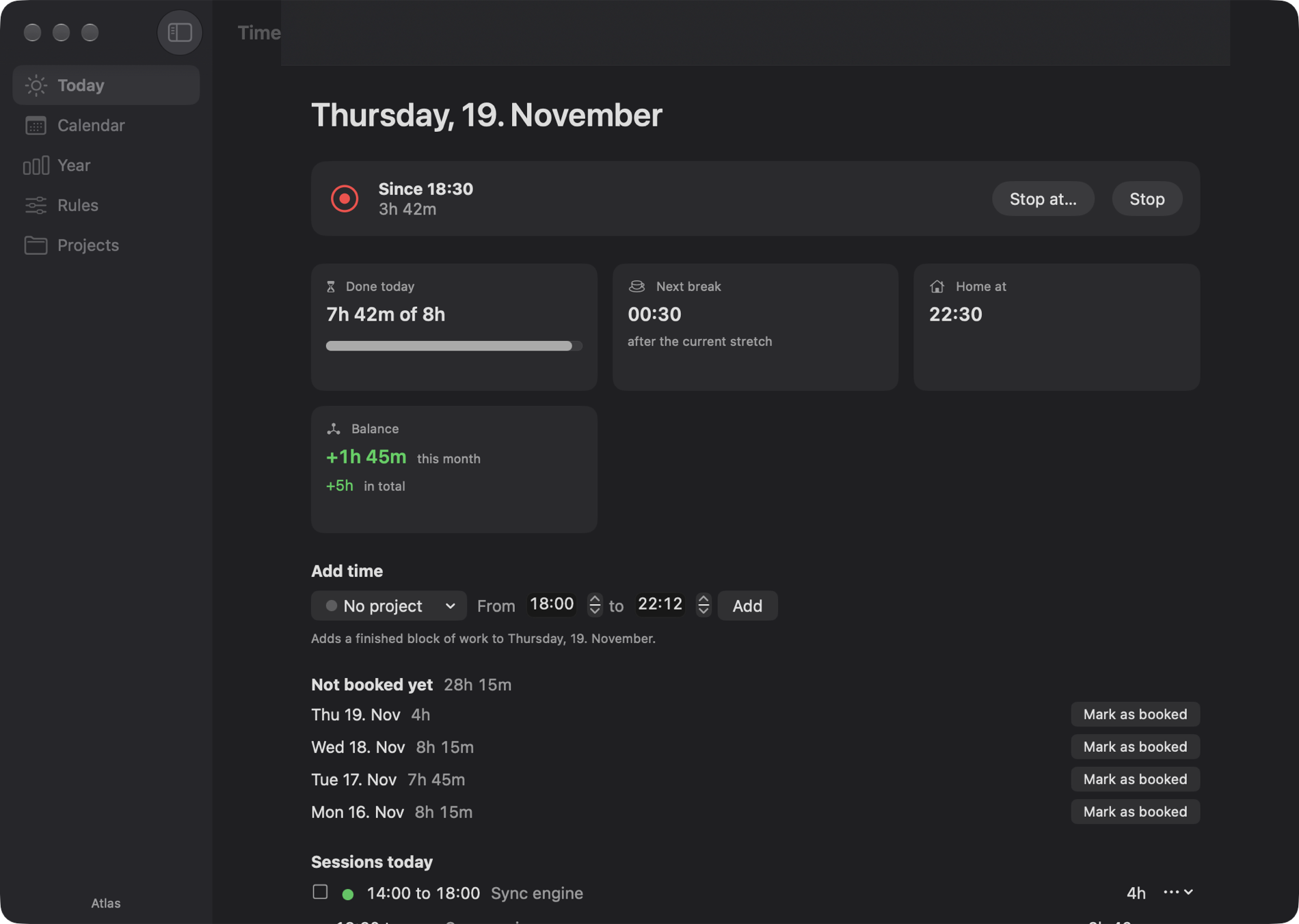
Tell Notebench your rules once: hours per week, which days, when the break is due. It shows when your next break is owed, when you can go home, and whether you are plus or minus this month.

  • Start now, or pick the time you really started
  • Tick sessions as booked in your company system
  • Sessions can show the commits and files you worked on
  • Optional: off until you turn it on
The time tracker: done today, next break, home at, and balance
Human Zone

A folder no AI can open

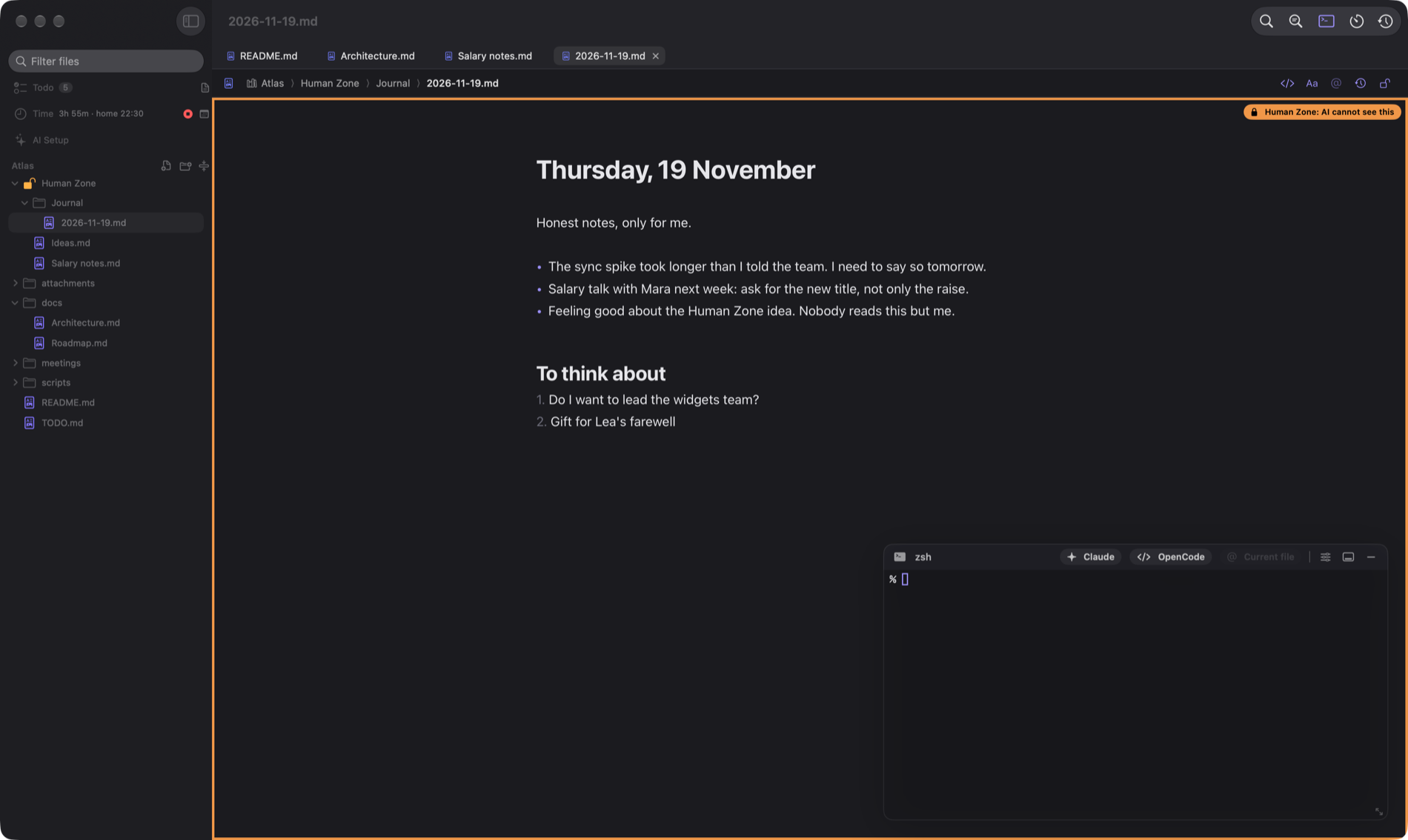
Some notes are only for you. The Human Zone is a folder in your file tree that is encrypted, kept in memory while it is open, and invisible to agents and the terminal. An orange frame tells you where you are.

  • Face ID or Touch ID to open, locks itself when you stop
  • The key lives in your Keychain and syncs with iCloud Keychain
  • No plain files and no temp files, ever
A note inside the Human Zone with an orange frame and the label: AI cannot see this
Your files, everywhere

Mac, iPhone and iCloud, with no account

Your vault is a folder. Put it in iCloud Drive and it is on your iPhone too. No sign-up, no server of ours, no lock-in: if you stop using Notebench, your notes are still just files.

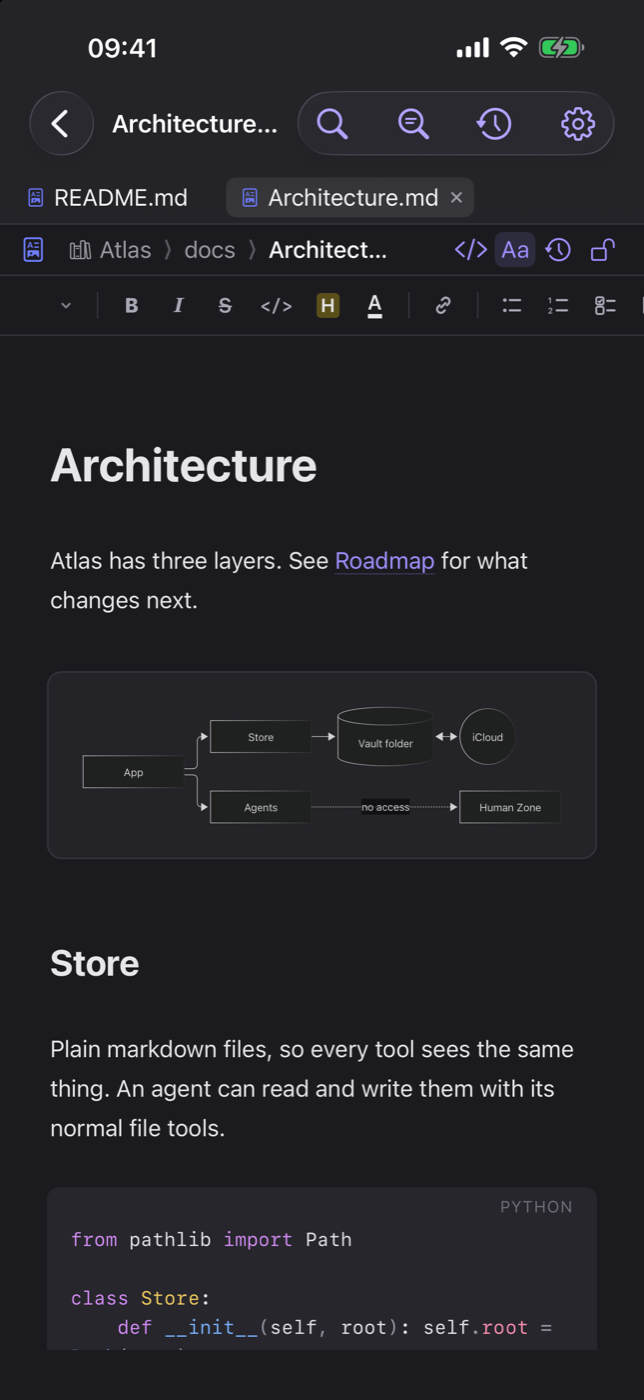
iPhone: scheduled jobs from the Mac with their last result and next run iPhone: a note with a diagram and a code block

Made for agents

Claude Code and OpenCode run in the built-in terminal and can open files, run jobs and track your time through Notebench's own tools.

You stay in control

Agents can propose changes, you accept them. Jobs need your approval. The Human Zone is out of reach by design.

History built in

Every change is kept, so you can see what an agent changed and go back.

Start with a folder

Notebench for Mac and iPhone. Coming soon.